Portfolio Manager is no longer being maintained or supported. I recommend that you use a service like Share Sight
Archive for category News
Portfolio Manager has been using Yahoo Finance to retrieve free delayed stock prices updates for your portfolio. Unfortunately after many years of offering this free service, Yahoo has decided to shutdown this service without any warning. I am looking into if there are any other free alternatives or if Yahoo are going to offer a paid service. For now though Portfolio Manager will be unable to update the stock prices for your portfolio.
To manually update the stock prices, right click on the stock code and select ‘Update Details’. You can then enter the current price of the stock.
A latest version of Portfolio Manager is now available with the following changes:
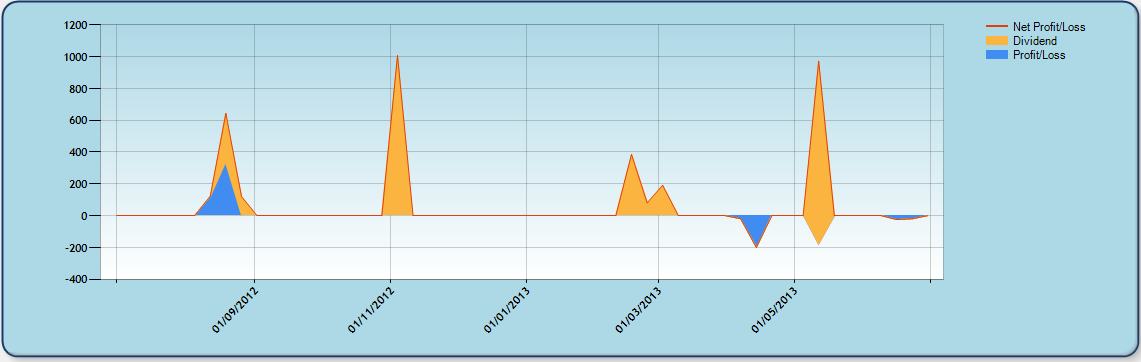
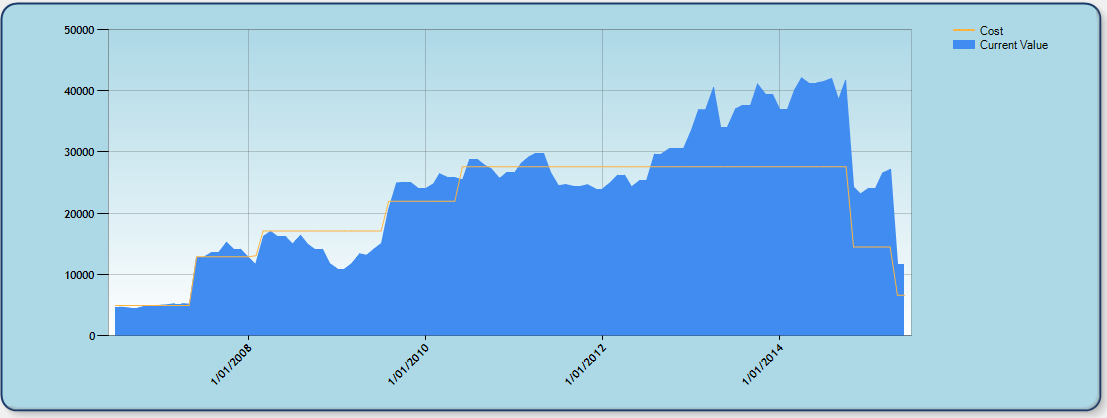
- Basic charting. Using the chart generator you can quickly create charts for a specific account and date range and stocks.Includes the following chart types:
- Profit/Loss: Creates a chart based on your trades and dividends over time.
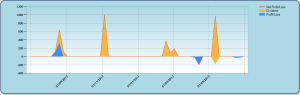
Profit / Loss Chart
- Portfolio Value: Creates a chart based on your portfolio value over time

Portfolio Value
- Profit/Loss: Creates a chart based on your trades and dividends over time.
- Now supports Windows 8
- Improvements to import with option to select the date format
- Improvements to the ACB conversion process
- Fixed issue with stock quotes on US stock exchanges
- Fixed crash on change of stock code
- Fixed bug with adding required funds when moving stocks between accounts
- Fixed issue with setting a custom font not working
- Many other minor bug fixes and minor changes
Please note that if you currently have a V1 license you will need to upgrade your license.
Portfolio Manager uses Yahoo Finance for its stock quote updates. Every so often they have an issue however this generally only lasts a day or two. Another common reason is anti virus or firewall software blocking the internet connection from the program. Please check that this isn’t the case.
If that still doesn’t help please do the following:
- Open Portfolio Manager
- Click on Tools | Options.
- At the bottom is an option to set the quote source. Update this to USA or YQL.
A new version of Portfolio Manager is now available. This update improves the QIF/CSV import and fixes an issue causing it to not work on some systems.
Again, this is a free update for all registered users and can be downloaded from our download page.
A new version of Portfolio Manager is now available. This update resolves several minor issues discovered in v1.9. Again, this is a free update for all registered users and can be downloaded from our download page.
A new version of Portfolio Manager is available with the following new features:
- More precision in reports (upto 4 dec places)
- Print direct from trade lists
- Import from CSV, QIF
- Export to QIF
- New columns: Risk/Reward ratio, Total amount risked
- New watch list columns: 52 week low/high
- Option to consolidate transactions within reports
- Option to include stock name within reports
- Ability to search for stocks by name
- Ability to show/hide open trades within the history list to display dividend amounts
Again, this is a free update for all registered users and can be downloaded from our download page.
The editors over at 3d2f.com have posted a review and tagged Portfolio Manager as being the most promising in its class.
Minor update (v1.81)
Jan 8
This release only adds one new feature however fixes a few minor bugs discovered within the last release.
What’s New:
- Percentage total return per account
Purchase Portfolio Manager between now and January 1st 2010 and only pay just $19.95 USD. That’s over 33% off the original price. If you haven’t already done so, head over to the download page to trial the software or if your ready to make your purchase click on the buy now button below.
| Description | Currency | Price | Purchase |
|---|---|---|---|
| Get it through instant download | USD | $29.95 $19.95 |  |